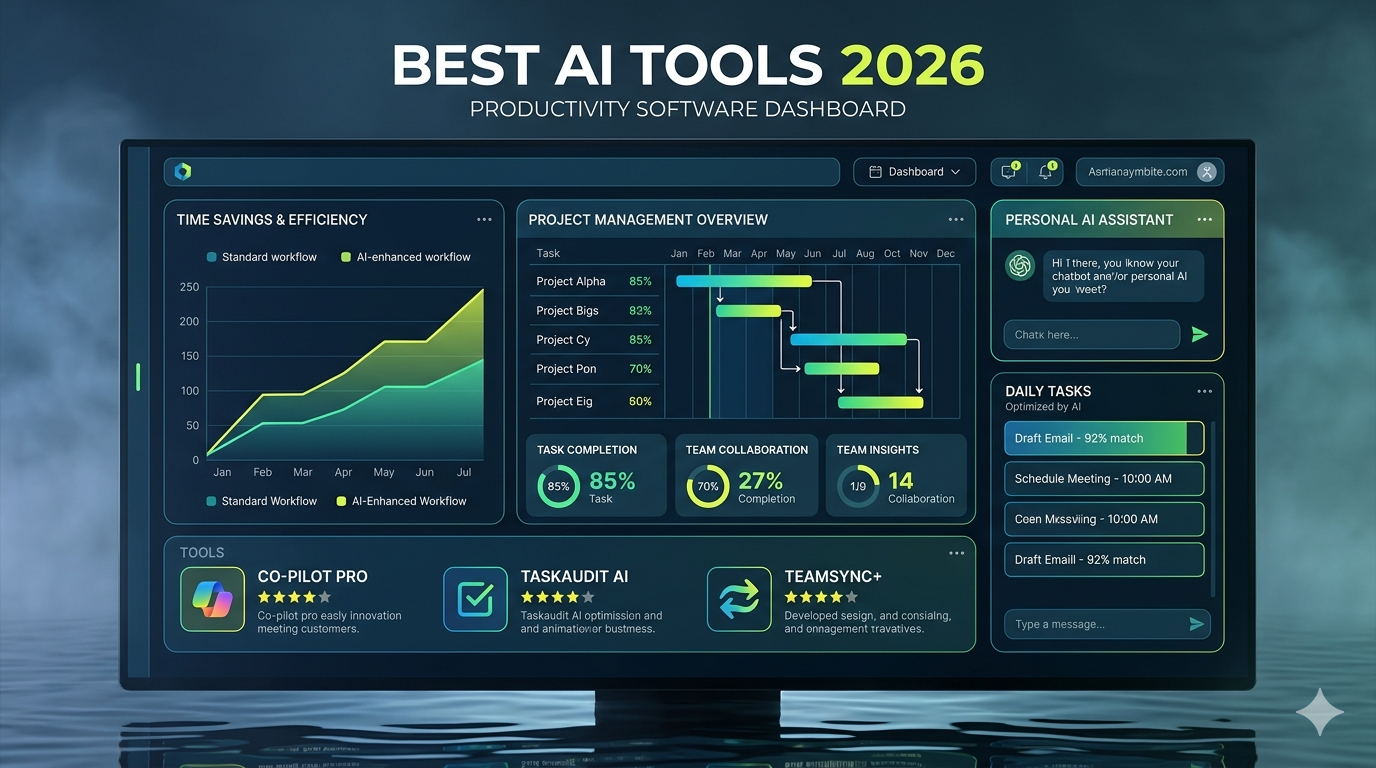
AI is everywhere now.
A couple of years ago, AI tools felt like fancy experiments that tech nerds played with after midnight while drinking too much coffee. Fast forward to 2026, and AI has become part of everyday life.
Students use it for studying.
Business owners use it for marketing.
Developers use it for coding.
Content creators use it for videos, graphics, and social media.
Even your neighbor who still struggles with Wi-Fi probably uses AI without realizing it.
The biggest problem isn’t finding AI tools anymore.
The problem is figuring out which ones are actually worth your time.
There are thousands of AI apps available today, and honestly, many of them are just clones wearing different clothes.
That’s why we’ve put together this guide covering the best AI tools 2026 users should seriously consider trying.
Whether you’re a creator, entrepreneur, freelancer, student, marketer, or just curious about technology, you’ll find something useful here.
Why AI Tools Matter More Than Ever in 2026
Before jumping into the list, let’s talk about why AI is becoming impossible to ignore.
Modern AI tools can help you:
- Save hours every week
- Automate repetitive work
- Create content faster
- Improve productivity
- Generate ideas instantly
- Analyze data quickly
- Learn new skills faster
- Build businesses with fewer resources
Think of AI like having an assistant who never sleeps.
Sure, it occasionally misunderstands what you mean ( kind of like your uncle trying to use emojis ), but overall it’s incredibly helpful.
1. ChatGPT
Best For :
Writing, brainstorming, learning, coding, research, productivity
ChatGPT continues to dominate the AI landscape in 2026.
Whether you’re writing blog posts, generating business ideas, solving coding problems, or planning a vacation, ChatGPT remains one of the most versatile tools available.
What Makes It Great ?
- Natural conversations
- Fast responses
- Strong reasoning capabilities
- Excellent writing assistance
- Coding support
- Research help
Real – Life Example
Imagine you need 20 blog topic ideas before lunch.
Instead of staring at a blank screen, ChatGPT can generate dozens of ideas within seconds.
That’s a huge productivity boost.
Read also :- 15 AI Tool Hacks That Can Save You Hours Every Week
2. Claude
Best For :
Long-form writing and document analysis
Claude has become a favorite among writers, researchers, and professionals who work with large documents.
One thing users love is its ability to process lengthy reports and maintain context over long conversations.
Key Features
- Strong writing quality
- Excellent summaries
- Long context window
- Research support
- Business document analysis
Why People Like It
Many users feel Claude sounds slightly more natural when producing long-form content.
Your mileage may vary, but it’s definitely worth testing.
3. Gemini
Best For :
Google ecosystem users
If you spend most of your day using Google products, Gemini makes a lot of sense.
It integrates naturally with Google’s services and provides powerful AI assistance across workflows.
Benefits
- Google integration
- Research assistance
- Productivity features
- Content generation
- Multimodal capabilities
Best Use Case
Great for professionals already using Gmail, Docs, Sheets, and Workspace products.
4. Midjourney
Best For :
AI image generation
If you’ve seen stunning AI artwork online recently, chances are Midjourney played a role.
The image quality remains incredibly impressive.
Features
- High-quality visuals
- Artistic styles
- Realistic images
- Fast generation
- Creative flexibility
Example
Need a professional website hero image ?
Midjourney can often create something that would have cost hundreds of dollars through traditional design services.
5. Adobe Firefly
Best For :
Professional design workflows
Adobe didn’t sit back while AI exploded.
Firefly has become a major player in AI – powered design.
Why Designers Love It
- Photoshop integration
- Commercial – friendly usage
- Fast image editing
- Generative fill
- Creative effects
For people already using Adobe products, Firefly feels like a natural extension rather than another tool to learn.
6. Canva AI
Best For:
Small businesses and beginners
Canva keeps making design easier.
The AI features introduced over recent years have transformed it into an all – in – one creative platform.
Popular Features
- AI presentations
- AI image generation
- Social media content
- Marketing materials
- Quick editing tools
Perfect For
- Bloggers
- Entrepreneurs
- Freelancers
- Small businesses
If Photoshop feels intimidating, Canva AI is your friend.
Read also :- 15 AI Tool Hacks That Can Save You Hours Every Week
7. Perplexity
Best For :
Research and fact – finding
Perplexity has become one of the smartest research assistants available.
Instead of providing generic answers, it often cites sources and helps users verify information.
Strengths
- Fast research
- Source citations
- Follow-up questions
- Current information
- Easy navigation
Real – World Use
Need quick market research before a meeting?
Perplexity can save hours of searching.
8. Notion AI
Best For :
Productivity and organization
Notion was already popular.
Adding AI made it significantly more powerful.
Users can now generate content, summarize notes, organize projects, and automate workflows inside a single platform.
Features
- Meeting summaries
- Task management
- Content creation
- Project planning
- Team collaboration
Why It Stands Out
Everything stays organized in one place instead of bouncing between multiple apps.
That’s a small change that can make a surprisingly big difference.
Quick Comparison Table
| Tool | Best For |
|---|---|
| ChatGPT | Writing & Productivity |
| Claude | Long Documents |
| Gemini | Google Users |
| Midjourney | AI Art |
| Adobe Firefly | Professional Design |
| Canva AI | Easy Content Creation |
| Perplexity | Research |
| Notion AI | Organization |
Helpful Resources
9. GitHub Copilot
Best For :
Developers and programmers
If coding sometimes feels like typing the same thing over and over again, GitHub Copilot can feel almost magical.
It’s like having a developer sitting next to you who constantly suggests code while you work.
Now, before anyone gets excited, Copilot won’t replace experienced programmers anytime soon. But it can absolutely help speed things up.
What It Can Do
- Suggest code in real time
- Generate functions
- Help debug issues
- Explain unfamiliar code
- Support multiple programming languages
Real – Life Example
Let’s say you’re building a website and need a contact form.
Instead of writing every line manually, Copilot can generate most of the structure in seconds.
That means less time typing and more time solving actual problems.
Pros
- Saves development time
- Learns from your coding style
- Supports many languages
- Great for repetitive tasks
Cons
- Still requires human review
- Can occasionally suggest inefficient code
10. Cursor
Best For :
AI-powered coding workflows
Cursor has exploded in popularity among developers during 2025 and 2026.
Many programmers now use Cursor as their primary coding editor because it combines traditional development tools with advanced AI assistance.
Why Developers Love Cursor
- Understands entire codebases
- Natural language editing
- Fast debugging
- AI code generation
- Smart suggestions
Example
Imagine telling your editor:
“Add dark mode support across the website.”
Cursor can analyze files and suggest changes automatically.
Pretty wild.
Read also :- 15 AI Tool Hacks That Can Save You Hours Every Week
11. Runway
Best For :
AI video creation
Video content is king.
Actually, people have been saying that for years, but it’s still true.
Runway helps creators generate, edit, and enhance videos using AI.
Features
- Text-to-video
- Video editing
- Background removal
- Motion tracking
- Visual effects
Who Should Use It ?
- YouTubers
- Marketers
- Social media creators
- Small businesses
If you’ve ever spent hours editing videos, Runway can save a serious amount of time.
12. Synthesia
Best For :
AI avatar videos
Not everyone wants to appear on camera.
Honestly, some days I don’t even want to turn on a webcam for a meeting.
That’s where Synthesia comes in.
What Makes It Unique ?
You can create realistic AI presenters that deliver your scripts in multiple languages.
Popular Uses
- Employee training
- Product demos
- Educational videos
- Corporate presentations
Benefits
- No camera required
- Fast production
- Professional appearance
- Multiple language options
13. ElevenLabs
Best For :
AI voice generation
Voice AI has improved dramatically.
A few years ago AI voices sounded robotic.
Now they’re surprisingly realistic.
ElevenLabs is one of the biggest reasons why.
Features
- Natural voice generation
- Voice cloning
- Audiobook narration
- Podcast production
- Multilingual support
Real-Life Use Case
Content creators can turn blog posts into audio content without recording hours of narration.
That’s a huge time saver.
Read also :- 15 AI Tool Hacks That Can Save You Hours Every Week
14. Descript
Best For :
Podcast and video editing
Descript changed how many creators edit content.
Instead of editing audio like a traditional sound engineer, you edit text.
Delete a sentence from the transcript and it’s removed from the recording.
Simple.
Key Features
- Text-based editing
- Screen recording
- AI voice correction
- Podcast production
- Video editing
Why It Matters
It lowers the learning curve for beginners.
You don’t need years of editing experience to create polished content.
15. Zapier AI
Best For :
Automation
Nobody enjoys repetitive work.
Well… maybe someone does, but most people don’t.
Zapier AI helps automate tasks between apps and services.
Common Automations
- Save email attachments automatically
- Post content across platforms
- Generate reports
- Update CRM records
- Send notifications
Example
A customer fills out a form.
Zapier can:
- Save the lead
- Send an email
- Notify your team
- Update your CRM
All without human intervention.
16. Make
Best For :
Advanced workflow automation
Make offers automation capabilities similar to Zapier but with more visual control.
Many power users prefer it because workflows can become extremely sophisticated.
Benefits
- Visual workflow builder
- Advanced logic
- Hundreds of integrations
- Flexible automation
Perfect For
- Agencies
- Businesses
- Marketing teams
- Advanced users
If Zapier feels like driving an automatic car, Make sometimes feels like driving a manual sports car.
More control, but also more complexity.
17. Jasper
Best For :
Marketing content creation
Jasper remains a strong option for businesses focused on content marketing.
While many AI writing tools exist today, Jasper specifically targets marketing teams.
Features
- Blog writing
- Ad copy
- Email campaigns
- Brand voice support
- Marketing workflows
Who Benefits Most ?
- Marketing agencies
- Ecommerce stores
- Content teams
- Business owners
Practical Example
Running Facebook ads?
Jasper can generate multiple ad variations quickly, helping marketers test campaigns faster.
18. Grammarly AI
Best For :
Writing, editing, and communication
Let’s be honest.
Even great writers make mistakes.
Typos happen. Weird sentences happen. Sometimes your brain types faster than your fingers.
That’s where Grammarly AI shines.
Key Features
- Grammar correction
- Tone suggestions
- AI rewriting
- Clarity improvements
- Email assistance
Why It’s Useful
Whether you’re writing a blog post, school paper, business proposal, or important email, Grammarly helps make your writing look more professional.
19. Otter AI
Best For :
Meeting notes and transcription
Nobody enjoys taking notes during a long meeting.
You either focus on the conversation or focus on writing.
Doing both is surprisingly difficult.
Otter AI solves that problem.
Features
- Meeting transcription
- Speaker identification
- AI summaries
- Searchable notes
- Team collaboration
Best Users
- Students
- Business professionals
- Journalists
- Researchers
Read also :- 15 AI Tool Hacks That Can Save You Hours Every Week
20. Tome
Best For :
AI presentations
Creating presentations can take hours.
Finding images.
Formatting slides.
Writing content.
Then changing everything because your boss suddenly wants a different direction.
Tome helps speed up the process significantly.
Benefits
- AI slide creation
- Professional layouts
- Storytelling tools
- Fast presentation generation
21. Gamma
Best For :
Modern presentations and documents
Gamma is becoming a favorite among startups and creators.
Instead of building presentations slide by slide, Gamma creates visually appealing presentations from simple prompts.
Why People Like It
- Clean designs
- Fast generation
- Interactive layouts
- Professional appearance
For many users, it feels much faster than traditional presentation software.
22. Replit AI
Best For :
Learning coding and rapid development
Replit continues growing as an AI-assisted development platform.
It’s especially popular among beginners because it removes much of the technical setup required for coding projects.
Features
- Browser-based development
- AI coding assistant
- Collaboration tools
- Fast deployment
Great For
- Students
- Freelancers
- Startup founders
- Hobby developers
Read also :- What Are AI Tools ? A Beginner’s Guide for 2026
23. Suno
Best For :
AI music generation
Music creation has entered a completely new era.
Suno allows users to generate songs from text prompts.
Yes, actual songs.
Lyrics, vocals, instruments, and production can all be generated through AI.
Popular Uses
- Content creation
- Marketing campaigns
- Background music
- Creative experimentation
Fun Example
Type:
“Create an upbeat country song about coffee addiction.”
And you’ll probably get something surprisingly catchy.
24. HeyGen
Best For :
Video localization used to be expensive.
AI video avatars and localization
Really expensive.
HeyGen helps businesses create multilingual videos using AI-generated avatars and voice translation.
Key Features
- AI avatars
- Video translation
- Lip-sync technology
- Marketing videos
- Training content
Who Benefits ?
- Global businesses
- Educators
- Marketers
- Agencies
Read also :- What Are AI Tools ? A Beginner’s Guide for 2026
25. Microsoft Copilot
Best For :
Office productivity
Millions of professionals spend their day inside Word, Excel, PowerPoint, Outlook, and Teams.
Microsoft Copilot brings AI directly into those tools.
What It Can Do
- Summarize meetings
- Analyze spreadsheets
- Draft emails
- Create presentations
- Generate reports
Real – Life Example
Instead of spending an hour analyzing spreadsheet data, Copilot can generate insights in minutes.
That can be a major productivity boost.
People Also Ask
Which AI tool is best in 2026 ?
There isn’t a single best AI tool for everyone. ChatGPT is often considered the most versatile, while Midjourney excels at image generation, GitHub Copilot leads in coding assistance, and Perplexity is excellent for research.
Are AI tools worth paying for ?
For many users, yes.
If an AI tool saves even a few hours every month, the subscription often pays for itself through increased productivity.
Can AI replace human workers ?
AI can automate certain tasks, but human creativity, judgment, emotional intelligence, and decision-making remain extremely valuable.
The most successful professionals in 2026 are often using AI as an assistant rather than viewing it as a replacement.
What industries benefit most from AI ?
Some of the biggest beneficiaries include:
- Marketing
- Software development
- Education
- Healthcare
- Customer service
- Finance
- Ecommerce
- Media creation
Read also :- What Are AI Tools ? A Beginner’s Guide for 2026
Pro Tips for Getting More Value from AI Tools
Most people only use about 10% of what AI tools can actually do.
If you want better results:
1. Learn Prompt Writing
Better prompts usually produce better outputs.
Be specific.
Instead of saying:
“Write a blog.”
Try:
“Write a 1,500-word beginner-friendly blog for small business owners about email marketing.”
Huge difference.
2. Combine Multiple AI Tools
Many professionals use several tools together.
Example workflow:
- Research with Perplexity
- Draft with ChatGPT
- Design with Canva AI
- Create video with Runway
- Automate publishing with Zapier
3. Always Verify Important Information
AI is smart.
It’s not perfect.
Double-check facts, statistics, legal information, medical content, and financial advice.
4. Focus on Outcomes
Don’t chase every new AI trend.
Focus on tools that solve real problems in your workflow.
That’s where the biggest gains happen.
Internal Link Opportunities
- [ Best AI Image Generators for Businesses ]
- [ How to Use AI for Blogging ]
- [ Best Productivity Apps for Entrepreneurs ]
- [ AI Marketing Strategies for Small Businesses ]
Best AI Tools 2026 by Category
Best Overall AI Assistant
ChatGPT
Best Research Tool
Perplexity
Best AI Writer
Claude
Best AI Image Generator
Midjourney
Best AI Design Tool
Canva AI
Best AI Coding Tool
Cursor
Best AI Developer Assistant
GitHub Copilot
Best AI Video Tool
Runway
Best AI Voice Tool
ElevenLabs
Best AI Automation Tool
Zapier AI
Best AI Presentation Tool
Gamma
Best AI Music Generator
Suno
Read also :- What Are AI Tools ? A Beginner’s Guide for 2026
Quick Summary Table
| Category | Recommended Tool |
|---|---|
| Writing | ChatGPT |
| Research | Perplexity |
| Long Documents | Claude |
| Images | Midjourney |
| Design | Canva AI |
| Coding | Cursor |
| Development | GitHub Copilot |
| Voice | ElevenLabs |
| Video | Runway |
| Automation | Zapier AI |
| Presentations | Gamma |
| Music | Suno |
How to Choose the Right AI Tool
Many people make the same mistake.
They sign up for ten AI tools at once.
A week later they’re overwhelmed and barely use any of them.
Instead:
Step 1
Identify your biggest problem.
Step 2
Choose one tool that solves it.
Step 3
Use it daily for two weeks.
Step 4
Add another tool only if needed.
Simple wins.
The Future of AI in 2026 and Beyond
AI isn’t slowing down.
If anything, development is accelerating.
Over the next few years we’ll likely see:
- Better reasoning capabilities
- More realistic video generation
- Improved voice technology
- Smarter automation
- Better personalization
- More business integrations
The people who learn how to use AI effectively today will have a significant advantage tomorrow.
Not because AI replaces humans.
Because AI amplifies what humans can accomplis
Read also :- What Are AI Tools ? A Beginner’s Guide for 2026
Best AI Tools 2026
The best AI tools 2026 users should explore depend largely on their goals.
If you want a versatile assistant, start with ChatGPT.
If you need research support, try Perplexity.
For stunning visuals, Midjourney remains a top choice.
Developers should look at Cursor and GitHub Copilot.
Meanwhile, creators can benefit tremendously from Runway, ElevenLabs, and Canva AI.
The good news?
Most of these tools offer free plans or trial versions.
That means you can experiment without spending much money.
The biggest takeaway is simple:
Don’t use AI because it’s trendy.
Use AI because it helps you save time, improve quality, and focus on work that truly matters.
That’s where the real value is.
Leave a Reply