Picture this.
It’s Monday morning.
Your inbox is overflowing, your to – do list looks like a grocery receipt from a family reunion, and somehow three meetings appeared on your calendar overnight.
Sound familiar ?
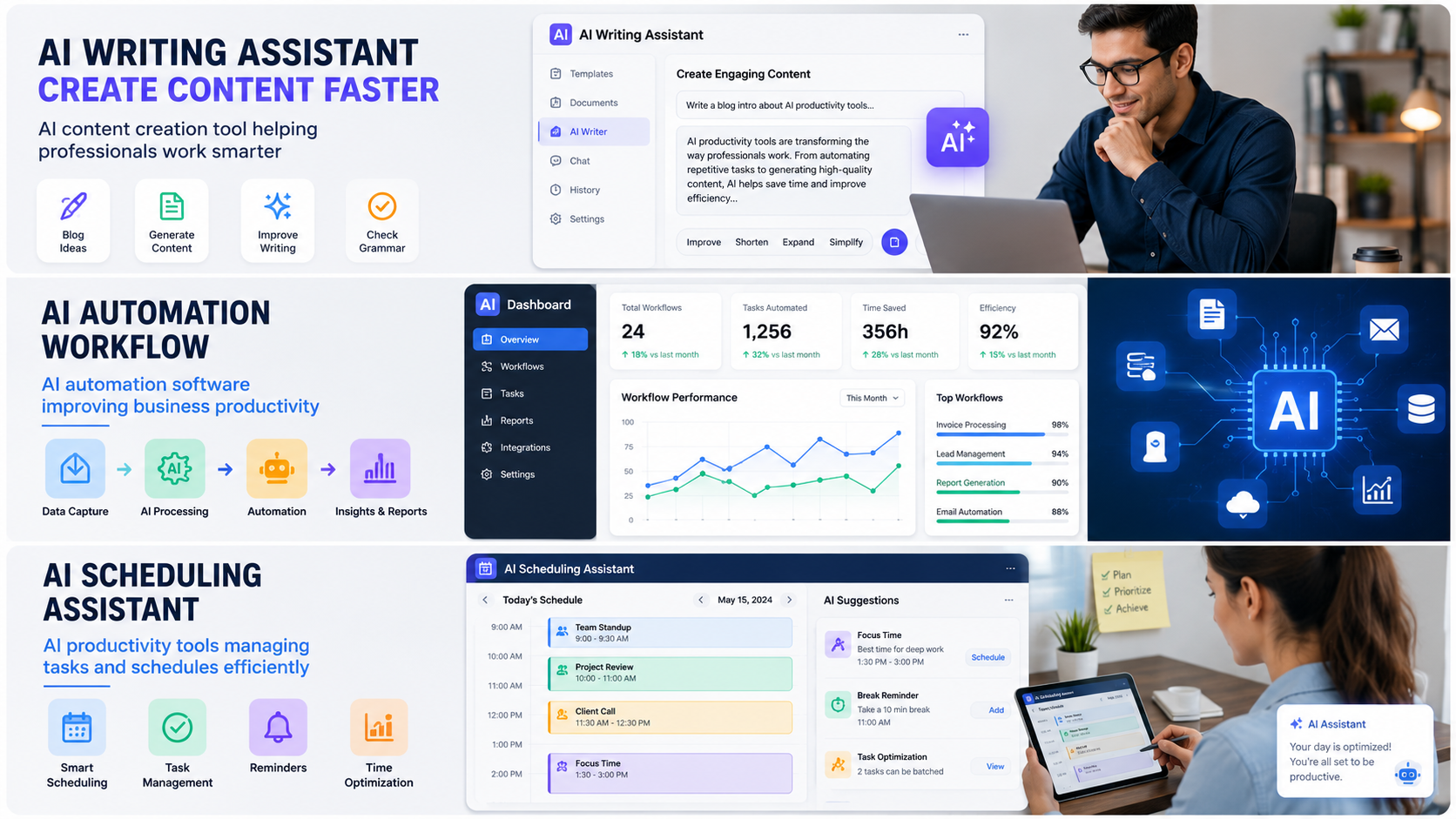
Now imagine having a digital assistant that helps draft emails, organize tasks, summarize reports, brainstorm ideas, schedule meetings, and even create content while you focus on work that actually matters.
That’s exactly why millions of people are learning how to use AI tools to work smarter instead of simply working harder.
The best part ?
You don’t need to be a tech expert. You don’t need coding skills. And you definitely don’t need to spend thousands of dollars on fancy software.
In this guide, you’ll learn practical ways to use AI tools in your daily life, whether you’re a student, entrepreneur, office worker, freelancer, or small business owner.
Let’s dive in.
What Does It Mean to Work Smarter With AI ?
Working smarter means using technology to eliminate repetitive tasks so you can focus on activities that require creativity, strategy, and decision – making.
AI tools are designed to:
- Save time
- Reduce manual work
- Improve productivity
- Increase accuracy
- Help generate ideas
- Organize information faster
Think of AI as a super – fast assistant.
It won’t replace your thinking, but it can handle many routine tasks that normally eat up hours of your day.
Quick Example
Without AI:
- Write an email from scratch
- Research a topic manually
- Organize meeting notes
- Create social media content
With AI:
- Generate a first draft in seconds
- Summarize research instantly
- Turn notes into action items
- Create content ideas quickly
The difference can be huge.
Read also :- How to Start Using AI Tools Without Technical Skills
Why AI Productivity Tools Are Becoming So Popular
According to research from:
AI adoption continues growing because it helps people complete work more efficiently.
Some major benefits include:
Time Savings
Many users save several hours every week by automating repetitive tasks.
Better Organization
AI can sort information, prioritize tasks, and keep projects moving.
Faster Learning
Need to understand a complex topic ?
AI can simplify explanations and summarize lengthy documents.
Improved Creativity
Ironically, AI often helps people become more creative by handling the boring stuff.
The Best Ways to Use AI Tools to Work Smarter
1. Use AI for Writing and Content Creation
Writing takes time.
Whether you’re creating emails, reports, blog posts, or social media content, AI can speed up the process significantly.
Use AI to:
- Generate outlines
- Draft emails
- Rewrite content
- Improve grammar
- Brainstorm ideas
- Create summaries
Practical Example
Instead of spending 30 minutes drafting an email, ask AI to create a professional draft and then personalize it.
You still maintain control, but you save valuable time.
2. Automate Repetitive Tasks
One of the smartest ways to use AI tools is automation.
Tasks like:
- Data entry
- Appointment scheduling
- File organization
- Customer support responses
- Workflow management
can often be automated.
Example
A small business owner might automate:
- Customer inquiries
- Appointment confirmations
- Follow-up emails
- Lead qualification
This can free up several hours every week.
Read also :- How to Start Using AI Tools Without Technical Skills
Use AI Tools to Work Smarter in Meetings
Meetings are important.
But let’s be honest.
Some meetings could probably have been emails.
AI can help make meetings more productive.
AI Can:
- Record conversations
- Create summaries
- Identify action items
- Generate follow-up emails
- Organize meeting notes
Instead of frantically taking notes, you can focus on the discussion itself.
AI for Task Management
Many people struggle with organization.
AI-powered task managers can:
- Prioritize tasks
- Suggest schedules
- Track deadlines
- Create reminders
- Manage projects
Daily Workflow Example
Morning:
- AI reviews your tasks
- Prioritizes urgent items
- Creates a schedule
Throughout the day:
- Sends reminders
- Tracks progress
- Updates priorities
Simple but incredibly effective.
How Students Can Use AI Tools
Students are among the biggest beneficiaries of AI.
Helpful uses include:
Research Assistance
AI can summarize articles and explain concepts.
Study Guides
Turn class notes into study materials.
Brainstorming
Generate project ideas quickly.
Learning Support
Get explanations in simpler language.
Important note:
Use AI as a learning assistant, not a shortcut for cheating.
The goal is understanding the material better.
How Small Businesses Can Use AI
Small businesses often have limited resources.
AI helps level the playing field.
Marketing
Generate content ideas and marketing campaigns.
Customer Support
Answer common questions automatically.
Analytics
Identify trends and opportunities.
Sales
Qualify leads and improve follow – ups.
Even small improvements can lead to significant growth over time.
Read also :- How to Start Using AI Tools Without Technical Skills
AI Tools for Better Time Management
Time is your most valuable asset.
AI can help protect it.
Try These Strategies
Schedule Blocking
Use AI to create focused work periods.
Smart Prioritization
Identify high-impact tasks first.
Reduce Context Switching
Group similar tasks together.
Automate Routine Work
Eliminate unnecessary manual effort.
These changes may seem small, but they add up quickly.
Common Mistakes People Make With AI
Many beginners expect AI to magically solve everything.
That’s not how it works.
Mistake #1: Trusting Every Output
Always verify important information.
Mistake #2: Using Vague Prompts
The better your instructions, the better your results.
Mistake #3: Skipping Human Review
AI should assist, not replace judgment.
Mistake #4: Automating Too Much
Not every task should be automated.
Some activities require a personal touch.
Best Practices for Getting Better Results From AI
Be Specific
Instead of:
“Write an email.”
Try:
“Write a professional follow-up email to a client after a project meeting.”
Provide Context
More details usually produce better results.
Experiment
Different prompts create different outcomes.
Edit Outputs
Think of AI as your first draft assistant.
Your final review still matters.
People Also Ask
How can AI improve productivity ?
AI improves productivity by automating repetitive tasks, organizing information, generating content, and helping users complete work faster.
What are the best AI tools for work ?
Popular AI tools include writing assistants, scheduling tools, automation platforms, research assistants, and customer support solutions.
Can AI save time at work ?
Yes. Many users save hours every week by using AI to handle routine administrative and repetitive tasks.
Is AI difficult to learn ?
No. Most modern AI tools are designed for beginners and require little to no technical experience.
Real – Life Example: Saving Five Hours Per Week
Imagine spending:
- 30 minutes daily writing emails
- 20 minutes organizing notes
- 15 minutes creating summaries
That’s more than an hour each day.
If AI cuts those tasks in half, you could save approximately five hours every week.
That’s over 250 hours per year.
Pretty impressive for a few workflow adjustments.
Read also :- How to Start Using AI Tools Without Technical Skills
The Future of Working Smarter With AI
AI technology continues improving rapidly.
Future tools will likely become:
- More personalized
- More accurate
- Easier to use
- Better integrated into everyday workflows
The people who learn these skills today will be better prepared for tomorrow’s workplace.
That doesn’t mean becoming dependent on AI.
It means learning how to use it effectively.
How AI Tools Are Changing the Modern Workplace
Just a few years ago, most workplace tasks were completed manually. Employees spent hours writing reports, sorting spreadsheets, answering emails, and organizing information. While these tasks were necessary, they often consumed valuable time that could have been spent on more important work.
Today, artificial intelligence is transforming the way businesses operate. Instead of spending hours on repetitive tasks, workers can now complete many of them in minutes with the help of AI-powered software.
For example, a marketing manager can use AI to generate content ideas, analyze campaign performance, and draft social media posts. A customer support representative can use AI chatbots to answer common questions instantly. Even project managers can use AI to organize workflows and track deadlines automatically.
The biggest advantage isn’t that AI works faster than humans. The real advantage is that AI allows humans to focus on higher – value activities such as problem-solving, creativity, communication, and decision-making.
Companies across the United States are investing heavily in AI because they understand that efficiency creates a competitive advantage. Businesses that embrace AI often find themselves saving money, increasing productivity, and delivering better experiences for customers.
As AI technology continues to evolve, learning how to use these tools effectively will become an increasingly valuable skill for professionals in every industry.
Top AI Tasks You Can Automate Today
One of the easiest ways to begin using AI is by automating routine activities that don’t require much creativity or strategic thinking.
Here are some practical examples:
Email Management
Most professionals spend a surprising amount of time managing their inboxes.
AI tools can:
- Draft responses
- Summarize email threads
- Prioritize important messages
- Suggest follow-ups
- Organize incoming emails
Instead of checking your inbox every few minutes, AI can help you focus only on messages that truly require your attention.
Document Summaries
Long reports and research papers can take hours to read.
AI can quickly:
- Summarize key points
- Highlight action items
- Extract important data
- Create executive summaries
This is especially useful for managers, researchers, students, and business owners.
Meeting Notes
Many people spend more time documenting meetings than actually participating in them.
AI note-taking tools can:
- Transcribe conversations
- Create summaries
- Generate action plans
- Identify key decisions
As a result, teams can stay more engaged during discussions.
Data Analysis
Businesses collect enormous amounts of data every day.
AI can help by:
- Finding trends
- Identifying opportunities
- Predicting outcomes
- Generating reports
This makes data more useful and easier to understand.
AI Tools for Different Professions
The beauty of AI is that it can benefit nearly everyone regardless of industry.
AI for Freelancers
Freelancers often wear multiple hats.
They handle:
- Marketing
- Sales
- Customer service
- Content creation
- Project management
AI can assist with all of these responsibilities.
For example, a freelance writer might use AI to create outlines and research summaries before writing an article.
AI for Teachers
Teachers can use AI to:
- Create lesson plans
- Generate quizzes
- Develop study materials
- Simplify complex concepts
This allows educators to spend more time helping students learn.
AI for Healthcare Professionals
Healthcare workers can use AI for:
- Administrative tasks
- Documentation
- Scheduling
- Data organization
Reducing paperwork can free up more time for patient care.
AI for Real Estate Agents
Real estate professionals can use AI to:
- Draft property descriptions
- Manage leads
- Schedule appointments
- Create marketing materials
This helps agents focus on building relationships and closing deals.
Read also :- How to Start Using AI Tools Without Technical Skills
How to Write Better AI Prompts
Many people think AI results are random.
Actually, the quality of the output often depends on the quality of the prompt.
Think of prompts as instructions.
The clearer your instructions, the better the results.
Weak Prompt
Write a blog post.
Better Prompt
Write a 1,500 – word blog post for beginners explaining how AI productivity tools help small business owners save time. Use simple American English and include practical examples.
Notice the difference ?
The second prompt provides:
- Context
- Audience
- Length
- Goal
- Writing style
As a result, the AI has a much better understanding of what you’re looking for.
Prompt Formula
A simple formula is:
Role + Task + Audience + Goal + Format
Example:
Act as a productivity expert. Explain how remote workers can use AI tools to save time. Write for beginners. Include actionable tips and examples.
Using this formula consistently can dramatically improve your results.
AI and the Future of Remote Work
Remote work has become a permanent part of many industries.
However, working remotely comes with challenges:
- Communication issues
- Time management struggles
- Project coordination difficulties
- Information overload
AI helps solve many of these problems.
For example:
- AI scheduling assistants coordinate meetings.
- AI writing tools improve communication.
- AI project managers organize workflows.
- AI assistants summarize conversations.
These capabilities help distributed teams stay productive regardless of location.
Many experts believe AI will become an essential component of remote work over the next decade.
How AI Helps Reduce Workplace Stress
One benefit that doesn’t get discussed enough is stress reduction.
When people spend their days buried under repetitive tasks, productivity often decreases while frustration increases.
AI can reduce stress by:
- Eliminating repetitive work
- Organizing priorities
- Creating schedules
- Managing reminders
- Handling routine communication
Imagine ending your workday with fewer unfinished tasks and a clearer understanding of what needs to happen tomorrow.
That’s one of the biggest reasons professionals are embracing AI tools.
Working smarter isn’t just about productivity.
It’s also about creating a healthier work-life balance.
15 Practical Ways to Start Using AI Today
- Draft emails faster.
- Summarize long articles.
- Create meeting notes.
- Generate social media content.
- Build blog outlines.
- Brainstorm business ideas.
- Organize daily schedules.
- Create study guides.
- Generate marketing copy.
- Improve grammar and writing.
- Analyze spreadsheets.
- Create customer support responses.
- Build presentations faster.
- Manage projects more effectively.
- Automate repetitive workflows.
Even implementing just two or three of these ideas can save hours every week.
Read also :- How to Start Using AI Tools Without Technical Skills
Why Learning AI Is No Longer Optional
Technology has always changed the way people work.
The internet changed business.
Smartphones changed communication.
Cloud computing changed collaboration.
Now AI is changing productivity.
The people who learn how to use AI tools to work smarter today will likely have an advantage tomorrow.
That doesn’t mean becoming dependent on technology.
It means understanding how to leverage powerful tools to achieve better results with less effort.
Start with one simple task.
Use AI to improve it.
Then gradually expand your workflow.
Before long, you’ll discover that working smarter often leads to better results, more free time, lower stress levels, and greater success both professionally and personally.
Leave a Reply