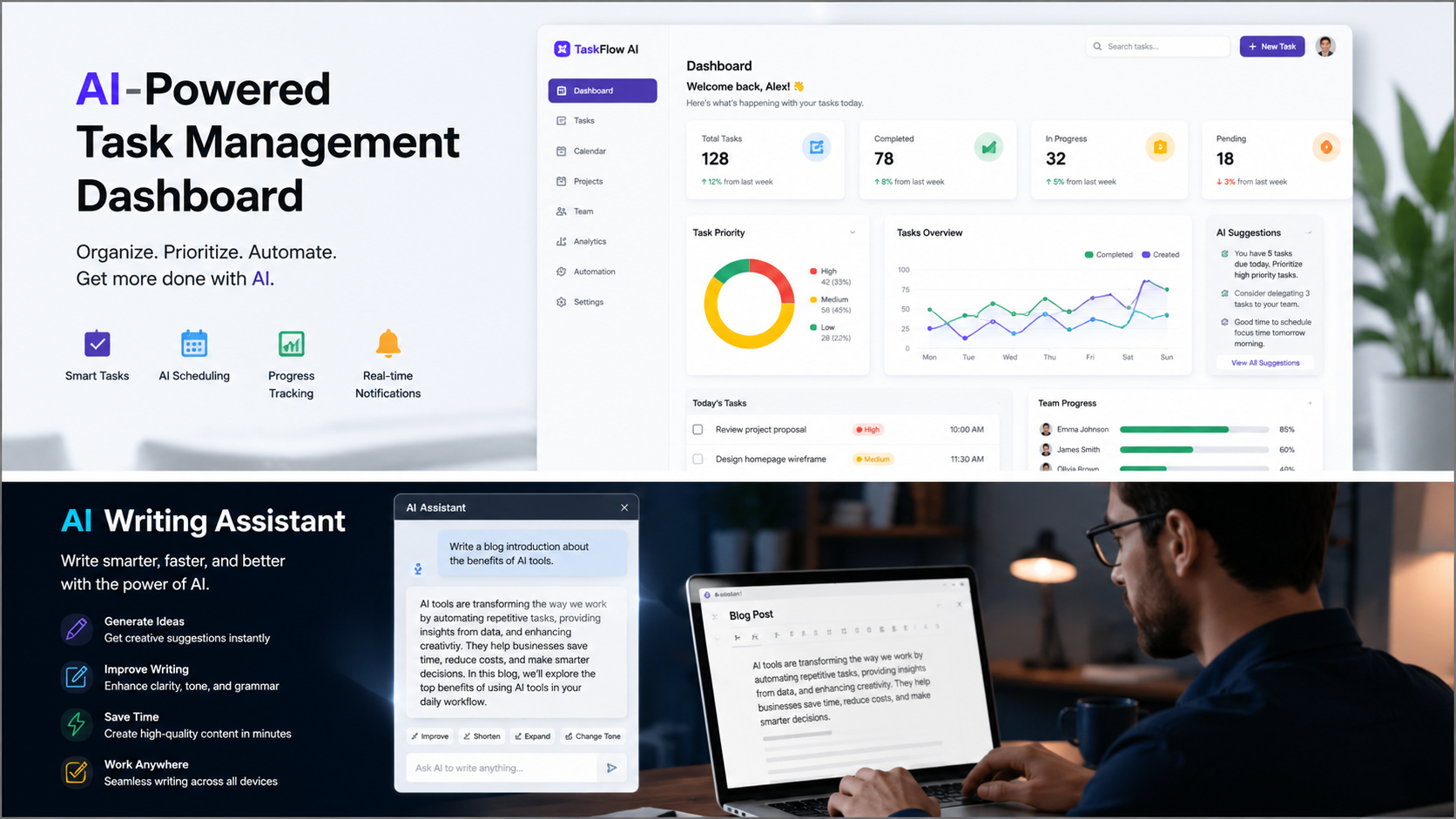
If someone had told me a few years ago that artificial intelligence would help me save nearly ten hours every single week, I probably would have laughed and gone back to answering emails.
Yet here we are.
Today, AI tools for productivity have become part of my daily routine. They help me write faster, organize projects, automate repetitive work, summarize information, and even manage my schedule. Instead of spending hours on small tasks, I can focus on work that actually matters.
And honestly ? The biggest surprise wasn’t that AI made me faster. It was how much mental energy it saved.
You know that feeling when your to – do list keeps growing even though you’ve been working all day? AI can help reduce that problem.
In this guide, I’ll walk you through the AI tools that saved me around 10 hours every week, explain exactly how I use them, and share practical tips so you can start saving time too.
Why AI Tools Are Becoming Essential
Before we dive into the tools themselves, let’s talk about something important.
Most people don’t actually need more hours in a day.
We all get the same 24 hours.
What most of us need is less busywork.
Think about how much time gets wasted every week on tasks like:
- Answering repetitive emails
- Creating meeting notes
- Researching topics
- Organizing information
- Scheduling appointments
- Writing first drafts
- Managing projects
These tasks are necessary, but they aren’t always the highest-value use of your time.
That’s where AI productivity tools shine.
They don’t replace your thinking. They simply help you work faster.
Read also :- How Students Can Use AI Tools to Study Smarter
Quick Answer: Which AI Tools Saved Me the Most Time ?
If you’re in a hurry, here’s the short version.
Top AI Tools for Productivity
- ChatGPT
- Notion AI
- Grammarly
- Otter.ai
- Zapier AI
- Claude
- Perplexity AI
Combined, these tools helped eliminate repetitive work and reduced the time spent on research, writing, organization, and communication.
1. ChatGPT: My Everyday Productivity Assistant
Time Saved Per Week:
Approximately 3 – 4 Hours
Let’s start with the obvious one.
I use ChatGPT almost every day.
Not because it magically does all my work, but because it dramatically speeds up tasks that used to take much longer.
How I Use ChatGPT
Here are a few real examples:
Drafting Emails
Instead of staring at a blank screen, I give ChatGPT a quick prompt.
For example:
“Write a professional follow-up email to a client who hasn’t responded in two weeks.”
Within seconds, I have a solid draft.
I still edit it, but starting from a draft is much faster than starting from nothing.
Brainstorming Ideas
Whenever I’m stuck on:
- Blog topics
- Marketing campaigns
- Content ideas
- Project names
I use ChatGPT as a brainstorming partner.
It often gives me ideas I wouldn’t have considered.
Summarizing Information
Long reports can take forever to read.
Instead, I paste information into ChatGPT and ask for:
- Key takeaways
- Action items
- Important insights
This alone saves a surprising amount of time.
Why It Works
The biggest productivity benefit isn’t automation.
It’s momentum.
When you’re not stuck staring at a blank page, work moves much faster.
2. Notion AI: Your Second Brain
Time Saved Per Week:
Around 2 Hours
I’ve always liked keeping notes.
The problem ?
Finding information later.
That’s where Notion AI became incredibly useful.
What It Does Well
Notion AI can:
- Summarize meeting notes
- Generate task lists
- Organize documents
- Create project outlines
- Answer questions from your notes
Imagine having hundreds of pages of notes and being able to ask:
“What’s the deadline we discussed last month ?”
Instead of searching manually, AI helps find answers quickly.
Best Use Case
Meeting notes.
After meetings, I ask Notion AI to create:
- Summary
- Key decisions
- Next actions
- Assigned responsibilities
What used to take 20 minutes now takes less than 5.
Read also :- How Students Can Use AI Tools to Study Smarter
3. Grammarly: More Than Just Spell Check
Time Saved Per Week:
1 Hour
Most people think Grammarly is only for fixing grammar mistakes.
It’s much more than that now.
How Grammarly Helps
It can:
- Improve clarity
- Rewrite awkward sentences
- Adjust tone
- Detect readability issues
- Speed up editing
Instead of reviewing the same paragraph five times, Grammarly often catches issues immediately.
Real – Life Example
When writing reports or client communications, Grammarly helps ensure the message sounds professional without spending extra time editing.
That may not sound like much, but saving a few minutes dozens of times per week adds up quickly.
How Much Time Can AI Really Save ?
Here’s a realistic estimate.
| Task | Weekly Time Saved |
|---|---|
| Writing | 2 – 3 Hours |
| Research | 1 – 2 Hours |
| Meetings | 1 Hour |
| Email Management | 1 – 2 Hours |
| Project Organization | 1 – 2 Hours |
| Automation | 2 Hours |
Total potential savings:
8 to 12 hours per week
Of course, your results may vary.
But even saving five hours weekly means gaining over 250 hours per year.
That’s more than six full work weeks.
The Biggest Mistake People Make With AI
Many people expect AI to do everything.
That’s the wrong approach.
The best results happen when you think of AI as an assistant, not a replacement.
Use AI to:
Handle repetitive work
Generate first drafts
Organize information
Summarize content
Speed up research
Avoid using AI to:
Make important decisions without review
Publish content without editing
Replace critical thinking
The sweet spot is combining human judgment with AI speed.
Read also :- How Students Can Use AI Tools to Study Smarter
People Also Ask
What is the best AI tool for productivity ?
ChatGPT is often considered one of the best AI tools for productivity because it helps with writing, brainstorming, research, and task management in one platform.
Can AI really save time at work ?
Yes. Many professionals report saving several hours per week by using AI for repetitive tasks such as email writing, note – taking, research, and scheduling.
Are AI productivity tools worth paying for ?
If the tool saves multiple hours every month, the subscription cost is often easily justified by the increase in productivity and efficiency.
Is AI difficult to learn ?
Most modern AI tools are beginner-friendly and require little technical knowledge. Many can be learned within a few hours.
4. Otter.ai: The Meeting Note – Taker I Wish I’d Found Earlier
Time Saved Per Week:
Around 1 Hour
Let’s be honest.
Most meetings have one annoying problem: taking notes while trying to actually pay attention.
You either focus on the conversation and miss important details, or you spend the entire meeting typing notes and barely participate.
That’s where Otter.ai changed things for me.
What Otter.ai Does
Otter.ai automatically records and transcribes meetings.
It can:
- Generate transcripts
- Identify speakers
- Create summaries
- Highlight key discussion points
- Capture action items
Instead of spending 30 minutes reviewing notes after a meeting, I can quickly scan the summary and move on.
Best Use Cases
Otter.ai works especially well for:
- Team meetings
- Client calls
- Online classes
- Interviews
- Brainstorming sessions
Practical Tip
Always review AI – generated meeting summaries before sharing them with others.
They’re usually very accurate, but small mistakes can happen.
Read also :- How Students Can Use AI Tools to Study Smarter
5. Zapier AI: The Automation Machine
Time Saved Per Week:
2 Hours or More
If you’ve never used automation before, you’re probably spending time on tasks that could happen automatically.
I was doing exactly that.
Then I discovered Zapier.
What Is Zapier ?
Zapier connects different apps together.
Think of it as a digital assistant that moves information between platforms without you doing anything.
Example Automations
Here are some automations I use:
New Form Submission → Google Sheets
Whenever someone fills out a form:
- Data is collected automatically
- Spreadsheet updates instantly
- No manual copying required
Email Attachment → Cloud Storage
Every attachment is automatically saved to the correct folder.
No downloading.
No organizing.
No forgetting.
Lead Capture → CRM
New customer information instantly appears in the CRM.
This saves countless small tasks throughout the week.
Why It Saves So Much Time
The real power of automation isn’t one big task.
It’s eliminating hundreds of tiny tasks.
Five minutes here.
Three minutes there.
Ten minutes somewhere else.
Eventually those small savings become hours.
6. Claude: My Favorite Tool for Long Content
Time Saved Per Week:
1 – 2 Hours
When working with large amounts of text, Claude has become one of my favorite AI tools.
It’s especially useful when:
- Reviewing long documents
- Summarizing reports
- Analyzing research
- Improving content structure
Why I Use Claude
Some AI tools struggle with longer content.
Claude handles large documents very well.
For example:
If I have a lengthy report, I can ask Claude to:
- Summarize key points
- Identify trends
- Find action items
- Highlight concerns
What could take an hour manually might take 10 to 15 minutes instead.
Best Practices
Don’t simply accept every suggestion.
Use Claude as a smart assistant that helps you think faster.
The final decisions should still come from you.
Read also :- How Students Can Use AI Tools to Study Smarter
7. Perplexity AI: Faster Research Without the Rabbit Holes
Time Saved Per Week:
1 Hour
Research can be dangerous.
Not physically dangerous, obviously.
But time dangerous.
You start searching for one thing and suddenly you’re reading something completely unrelated 45 minutes later.
Perplexity helps reduce that problem.
What Makes Perplexity Different ?
Unlike many AI chatbots, Perplexity provides sources alongside its answers.
This makes fact-checking easier.
How I Use It
When researching:
- Industry trends
- Statistics
- Product comparisons
- Market information
- Educational topics
Perplexity often delivers a concise answer with references attached.
That means less clicking between dozens of tabs.
Why This Matters
Research isn’t just about finding information.
It’s about finding reliable information quickly.
Perplexity helps with both.
My Weekly AI Workflow
People often ask:
“Which single AI tool should I use ?”
Honestly, the biggest productivity gains come from combining multiple tools.
Here’s a simplified version of my workflow.
Morning Planning
Tool Used:
Notion AI
Tasks:
- Review projects
- Prioritize work
- Generate daily task list
Time Required:
5 Minutes
Research Phase
Tool Used:
Perplexity AI
Tasks:
- Gather information
- Verify sources
- Collect statistics
Time Required:
15 Minutes
Content Creation
Tool Used:
ChatGPT + Claude
Tasks:
- Brainstorm ideas
- Create outlines
- Draft content
- Improve structure
Time Required:
30 – 60 Minutes
Meetings
Tool Used:
Otter.ai
Tasks:
- Record meetings
- Generate notes
- Capture action items
Time Required:
Automatic
Automation
Tool Used:
Zapier
Tasks:
- Move data
- Update systems
- Send notifications
Time Required:
Zero after setup
How Beginners Can Start Using AI Today
One mistake I see all the time is people trying to learn ten AI tools at once.
Don’t do that.
Start small.
Week 1
Learn ChatGPT.
Use it for:
- Emails
- Brainstorming
- Writing assistance
Week 2
Add Notion AI or Grammarly.
Improve organization and editing.
Week 3
Explore automation with Zapier.
Automate one repetitive task.
Week 4
Test advanced tools like Claude and Perplexity.
This gradual approach feels much less overwhelming.
Common Productivity Tasks AI Can Handle
Here are practical examples you can start using immediately.
Writing Tasks
- Blog outlines
- Social media captions
- Product descriptions
- Emails
- Reports
Research Tasks
- Topic summaries
- Competitor analysis
- Market research
- Industry trends
Administrative Tasks
- Scheduling
- Data entry
- File organization
- Meeting summaries
Creative Tasks
- Idea generation
- Naming projects
- Content planning
- Brainstorming campaigns
Read also :- How Students Can Use AI Tools to Study Smarter
Real – Life Example: Saving 10 Hours Per Week
Let’s imagine a typical professional.
Before AI
Email Management:
5 hours
Research:
4 hours
Meeting Notes:
2 hours
Writing:
6 hours
Administrative Work:
5 hours
Total:
22 hours
After AI
Email Management:
3 hours
Research:
2 hours
Meeting Notes:
30 minutes
Writing:
4 hours
Administrative Work:
2.5 hours
Total:
12 hours
Weekly Savings:
10 Hours
That’s basically gaining an extra workday every week.
Not bad, right?
AI Productivity Tips That Actually Work
1. Create Reusable Prompts
Save prompts that work well.
You’ll avoid rewriting instructions every time.
2. Focus on Repetitive Tasks First
The biggest gains come from automating repetitive work.
3. Verify Important Information
AI is helpful, but it’s not perfect.
Double – check facts and critical details.
4. Build Simple Systems
Complicated workflows often fail.
Simple systems are easier to maintain.
5. Learn One Tool at a Time
Master one tool before moving to the next.
You’ll learn faster and avoid frustration.
External Resources
For readers who want to learn more about AI productivity, these resources are helpful:
These platforms regularly publish guides, tutorials, and best practices.
Read also :- How Students Can Use AI Tools to Study Smarter
The Unexpected Benefits of AI
Saving time is only part of the story.
The benefits I noticed surprised me.
Less Mental Fatigue
I spend less energy on repetitive work.
Better Focus
More time goes toward meaningful projects.
Faster Learning
AI helps explain unfamiliar topics quickly.
Reduced Stress
The to – do list feels more manageable.
That’s something many productivity articles don’t talk about enough.
Sometimes saving your energy matters even more than saving your time.
Frequently Asked Questions
Which AI tool saves the most time ?
For most people, ChatGPT provides the biggest time savings because it helps with writing, brainstorming, research, and problem – solving in one place.
Are AI tools safe to use for work ?
Generally yes, but avoid sharing sensitive company information unless approved by your organization’s policies.
Can students use these AI tools ?
Absolutely. Students can use AI for research, note – taking, study planning, and improving writing skills.
Do AI tools replace jobs ?
AI typically automates tasks rather than entire jobs. Professionals who learn to work with AI often become more productive and valuable.
How much do AI productivity tools cost ?
Many tools offer free plans. Premium versions usually range from $ 10 to $ 30 per month depending on features.
Is ChatGPT enough by itself ?
For many users, yes. However, combining ChatGPT with organization and automation tools often creates much larger productivity gains.
What industries benefit most from AI ?
Marketing, education, software development, customer service, consulting, content creation, and business operations all benefit significantly.
Can AI help small business owners ?
Definitely. AI can reduce administrative work, improve customer communication, and automate repetitive processes.
How long does it take to learn AI tools ?
Most people can learn the basics within a few hours and become comfortable within a few weeks.
What’s the best first AI tool for beginners ?
ChatGPT is usually the easiest starting point because it’s versatile and beginner-friendly.
Read also :- How Students Can Use AI Tools to Study Smarter
Are AI Productivity Tools Worth It ?
After using AI consistently for months, I can confidently say that the biggest benefit isn’t just saving time.
It’s creating more space for the work that actually matters.
Before I started using AI tools for productivity, a large part of my day disappeared into repetitive tasks:
- Writing similar emails
- Organizing notes
- Searching for information
- Creating first drafts
- Updating spreadsheets
- Managing workflows
None of those tasks were particularly difficult.
They were just time – consuming.
Today, AI handles much of the heavy lifting, allowing me to focus on strategy, creativity, problem-solving, and decision – making.
And that’s where the real value appears.
The tools mentioned in this guide won’t magically transform your life overnight. However, if you consistently use them for the right tasks, saving 5 to 10 hours every week is completely realistic.
That’s time you can spend:
- Growing your business
- Learning new skills
- Working on personal projects
- Spending time with family
- Or simply relaxing without feeling guilty
My recommendation is simple:
Start with one tool.
Learn it well.
Use it daily.
Then gradually add additional tools as your workflow evolves.
You don’t need a dozen AI subscriptions.
You just need the right tools solving the right problems.
If you’re looking for a practical starting point, begin with ChatGPT, then expand into Notion AI, Grammarly, Zapier, Claude, or Perplexity based on your needs.
Small productivity improvements compound over time.
And honestly, that’s exactly how these AI tools saved me 10 hours every week.
Key Takeaways
The Best AI Productivity Tools
- ChatGPT
- Notion AI
- Grammarly
- Otter.ai
- Zapier
- Claude
- Perplexity AI
Estimated Weekly Time Savings
| Tool | Estimated Time Saved |
|---|---|
| ChatGPT | 3 – 4 Hours |
| Notion AI | 2 Hours |
| Grammarly | 1 Hour |
| Otter.ai | 1 Hour |
| Zapier | 2 + Hours |
| Claude | 1 – 2 Hours |
| Perplexity AI | 1 Hour |
Total Potential Savings
8 to 12+ Hours Per Week
Read also :- How Students Can Use AI Tools to Study Smarter
Featured Snippet Answer
What AI tools can save the most time ?
The best AI tools for productivity include ChatGPT, Notion AI, Grammarly, Otter.ai, Zapier, Claude, and Perplexity AI. These tools help automate repetitive tasks, improve writing, simplify research, organize projects, and streamline workflows, potentially saving 8 to 12 hours per week for many professionals.
Leave a Reply